

Set a budget
Enter a whole dollar amount up to $10,000,000, or leave the field empty for no budget. The budget covers usage for the current calendar month across all five Compute meters: CPU, memory, disk, egress, and active keys. It counts usage before any included credit is subtracted, and doesn’t include the plan fee. With a budget set, we email workspace admins the first time spend crosses 50, 75, and 100 percent of it, once per threshold per month. If you raise the budget, the thresholds move with it. Alerts already sent aren’t sent again.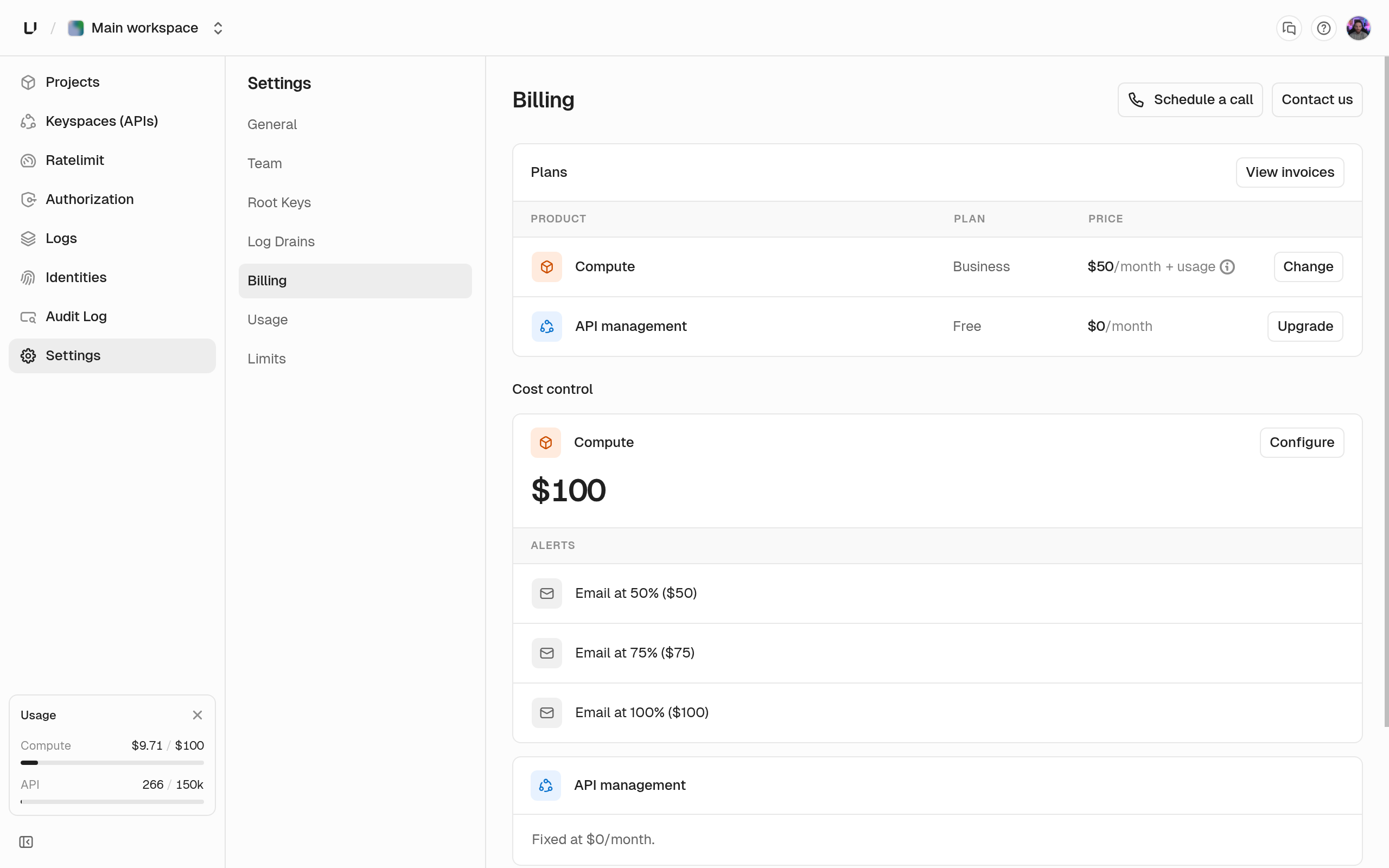
Stop when you hit the budget
Stop workloads at the budget is off by default, and you need a budget before you can turn it on. When it’s on and spend reaches 100 percent, we suspend Compute for the rest of the month:- Every running deployment is stopped. We remember which one was live for each app so we can bring it back.
- Every request to the workspace’s domains gets
402withspend_limit_reached. - You can’t start, wake, or create deployments.
- The dashboard shows the workspace as paused by its spend cap.
Resume compute
Do one of these, and each app’s live deployment starts again. You don’t need to redeploy.- Remove the budget or turn off Stop workloads at the budget. Compute resumes at the next check.
- Raise the budget. Compute resumes once spend has been under the new budget for two checks in a row.
- Wait for the next month. Compute resumes on its own when the new billing month starts.
Budget vs limits
The budget is about money. Compute limits are about resources: they stop a deployment from using more CPU, memory, or disk than your plan allows, before it runs. The budget acts on what you’ve actually used this month. Use the budget to control cost, and limits to control size.Next steps
Compute plans
What the plan includes and what is metered above it.
Usage
What your workspace consumed this month.